
Premium Report - Sales by Discounts (All)
Sales by Discounts (All)
A more sophisticated version of our regular Sales by Discounts (Codes Only) report, this report pulls together all of the discounts that can be applied to an order.
This includes both:
Manual Discounts - Discounts that are applied when a user enters a code at the checkout
Automatic Discounts - Discounts that are automatically applied when certain criteria are met.
See Shopify's main guide on discounts and various types for further information.
From this report, you can see exactly which discounts were applied to a given sale or shipping line and sort the results to see which discounts were the most popular in a given period.
As a Premium Report, this is available on all Paid Plans of Report Toaster. If you aren't signed up, follow these steps here to upgrade your account.
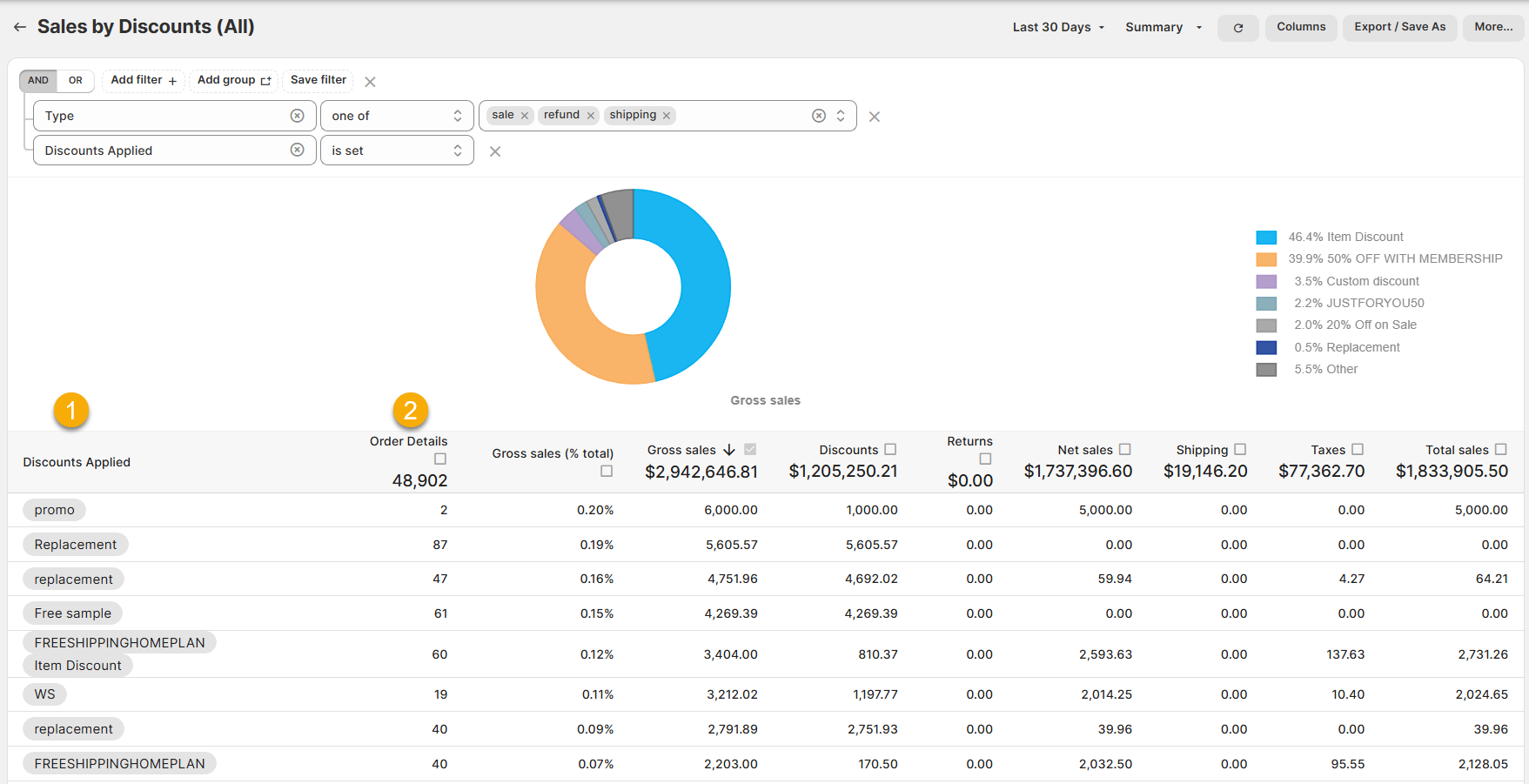
(click image to enlarge)
Here is what you need to be familiar with to understand the Sales by Discounts (All) report
1.) Discounts Applied: The discounts that were applied to a sale/shipping line on those orders.
It's important to mention that in Shopify, multiple discounts can be combined on an order or even applied to a single item. See their main guide here for further details.
In such cases, they will be listed sequentially (much like order, product, or customer tags).
For example, imagine somebody bought a product that had FreeShipping (FREESHIPPINGHOMEPLAN) and an item discount (Item Discount) to deduct from the cost of the item.
In this case, both discounts would be listed under Discounts Applied. If they only had one or the other, then that order would be on those rows listing only one of them.
2.) Order Details: The number of orders this discount appeared on.
For example, the promo discount was used on 2 orders in the Last 30 Days.
Like all Report Toaster reports, these reports are fully customizable - so you can adjust the date range, add/remove columns, introduce a filter or change the sort to suit your individual needs. See our basic guides here for more info.
For other premium reports you can add to your account, check out our other article guides here.